
I have been using AI to chew through some significant Aave V3 complexity recently.
I’ve learned a lot, and will certainly refer to these techniques again. So instead of folding it into an Aave specific write-up where it could be missed, I’m giving it proper treatment with its own introduction.
AI Fatigue
Every week I’m being told that it’s all over: a script will take my job, the robots are coming to kill me, RAM will never be affordable again, I should shut up and get in the pod.
It’s neither as bad nor as good as they say. Relentless media treatment has made “AI” a container word — people hear it, fill in ideas and things they’ve heard about it, and then stop thinking.
You can respond to AI any way you like. Here are my very important opinions on it:
Seeing fake AI avatars everywhere is annoying, but I like generating coloring pages for my kids and diagrams for technical presentations.
AI bots clogging up the replies on X is infuriating, but I like to get a summary of long documents.
The chat bot on my car dealership’s website is stupid, but the one integrated into open-source tool documentation is very useful.
Coding Tools
AI has been around for many decades, and its sophistication and usefulness has been trending upwards. It crossed the usefulness threshold in recent years, and appears to be here to stay.
I only started paying attention to this a few years ago.
Autocomplete
I saw folks talking about GitHub Copilot, so tried it out. After a few days I turned it off — I didn’t find the auto-completion particularly useful, and was frequently distracted by the phantom text appearing when I stopped typing.
Web Chat
Then Claude launched with the familiar web interface. I saw more people talking about it, saying that Opus 4 was a good coding model, so I signed up for a few months.
I found it was very good at generating small scale code snippets that I could copy and paste into my project. But the experience fell apart quickly when the code didn’t work as expected — I had to dump long tracebacks into the chat and ask it for fixes, then perform another copy-paste cycle. I felt limited by the browser interface and frustrated by how poorly it performed as the session grew in length. I cancelled.
Agentic
Then I started seeing chatter about agentic coding techniques. The promise was that agents could be spawned which would operate independently towards some goal.
I was specifically interested in the coding agents. A coding agent is simply a tool that tracks user inputs, calls an AI service, interprets responses, executes tools on behalf of the AI and manages I/O.
Editor Based
The first coding agents tools I saw were hooked to a graphical editor via a plug-in or natively: Cursor, Windsurf, Cline, Zed, Roo.
I tried them and enjoyed the ability to easily focus the tool on a section of code or an error message in the terminal. I continued to get nice results on small-scale tasks, but large refactoring efforts felt quite clumsy and hard to track if they needed multiple phases. I had the feeling I had traded writing code (which I enjoy very much) for micromanaging a capable but easily distracted person (which I dislike very much).
Command Line Based
Then Claude Code dropped in the middle of last year and everything changed!
It’s difficult to separate the improvement in coding tools from the improvement in coding-focused AI models, so I won’t try. But I will assert that console tools like Claude Code are a huge improvement over both web tools and editor tools.
The web comparison is easy to demonstrate. Imagine using Claude Opus 4.5 through the web interface. Still very capable, but having to copy and paste is cumbersome and not scalable.
The IDE tool comparison is harder, but the weakness shared with the web tool is the mode of user interaction. You still enter prompts with a keyboard and approve actions with a mouse. Very compatible with the typical way people work, but still limited by user attention and availability.
Code Is Now Cheap
In a post-AI world, code has become cheap so you should write less of it!
Your time is now too expensive to spend writing your own loops. But what should you do instead?
You Can Just (Not) Do Things
Appearing busy is glamorous: you look important and get the warm feeling that you’ve maximized your productivity.
But the result of your efforts can vary wildly depending on the tasks you select.
For coders, this shows up as a ratio between features and products shipped vs. time spent creating it.
In terms of processing speed and I/O, humans are the bottleneck in any process involving computers. So learning how to extract yourself from the “hot” loop is critical.
Several approaches have come from this realization.
Vibe Coding
Andrej Karpathy’s famous “vibe coding” tweet has pushed many people towards giving the AI more control. Instead of trying to act as the brain and letting the AI be your fingers, vibe coding encourages stepping away and reviewing the output later, then nudging the result to taste.
The tweet literally says it’s “not too bad for throwaway weekend projects”, so it’s obviously not a good technique for writing production software.
Once you see the spaghetti generated from a long vibe coding session, you’ll realize the problem. AIs are good at generating code — the more you use it the more you get.
The usual AI solution to handling complex inputs tends towards branching and special-case fixes. Ask it to consolidate the code using DRY techniques and it will just extract a bunch of helper functions or hide the branching in some new method, without resolving the architectural issue. It can quickly spiral away when not properly constrained.
Ralph Wiggum
I recommend watching this primer on the Ralph Wiggum loop by its creator, Geoffrey Huntley:
Here is the basic Ralph technique:
Generate a highly detailed plan and specifications for what you want to build
Run a coding agent in a loop with these instructions:
Read the plan
Read the specifications
Select the most important single task from the plan
Complete it
Run the tests
Commit
Mark the task as complete
Add important lessons learned to a file
If all tasks are complete, take some action that terminates the loop
In this way, each iteration of the loop starts fresh with a context window focused on important items and a simple request: implement one task.
Each loop starts the agent with its context reset, so that it can load only what it needs instead of holding on to many irrelevant instructions that degrade accuracy.
Automation
I’m a huge fan of using command line interface (CLI) tools. They are flexible, high performance, and portable. But the killer feature is they can be automated!
This whole newsletter is about building autonomous stuff, so this shouldn’t surprise you. If I can eliminate a click or button press, or make something run on a schedule, I will. I’m willing to spend a lot of time converting a manual process to automatic.
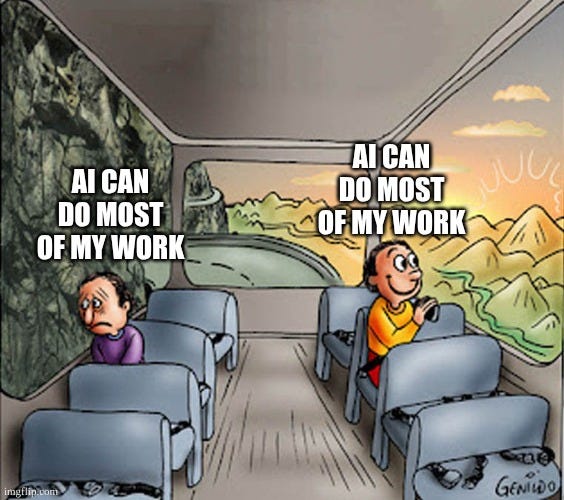
So naturally when I code, I do it with agentic tools on the CLI that call AI models specifically trained for coding.
I have a strong bias towards open source, so I prefer using an open source agent calling open weight models through a neutral provider. At publishing time I am using OpenCode with Kimi K2.5 via Synthetic.
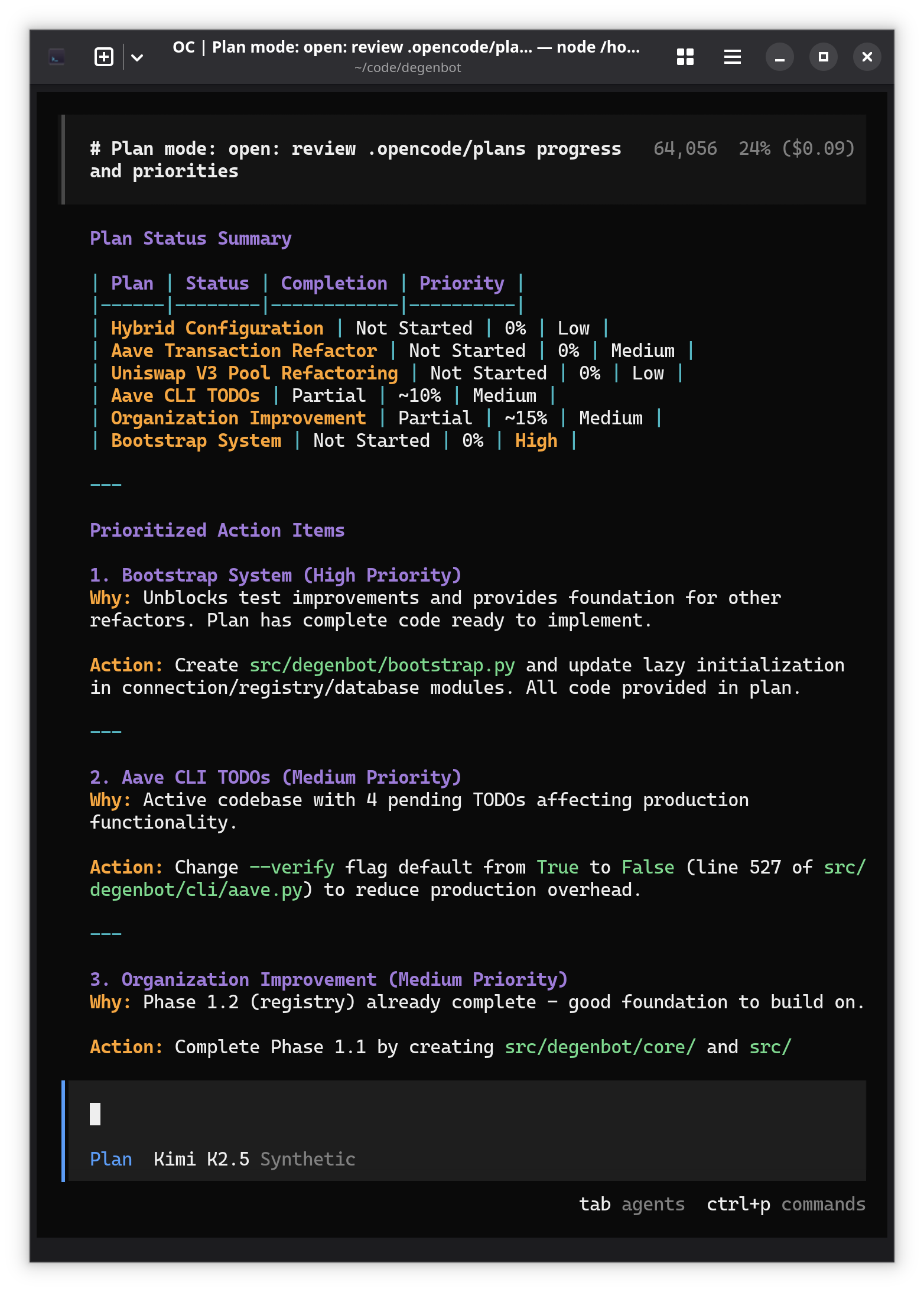
Automatic Plan Summary
My first automation was simple: generate a daily summary of the open plans.
OpenCode allows you to define a custom command via a Markdown file. So I wrote one with instructions on how to do that:
---
description: Review project plans and provide a summary
agent: plan
model: synthetic/hf:moonshotai/Kimi-K2.5
---

Use the Glob tool to find work plans organized in `.opencode/plans`. Simple plans in the root directory are saved as individual files. Complex plans spanning multiple files are saved in a subdirectory.

For each plan, delegate the following actions:
- Review the progress described in the plan versus the referenced code
- Provide a summary of actual progress made
- Recommend updates to the plan to synchronize it with actual progress
- Recommend improvements to the plan

Then:
- Summarize the state of each plan and action items
- Prioritize the pending work
- Recommend one action item to make progress on each plan
This command can be executed by calling OpenCode with the appropriate option. Here you can see that it looks for the plans using the Glob tool (an abstraction over find) in the working directory, then delegates review of each plan to a subagent that starts fresh and can concentrate on the one plan it was given:
summarize.md
btd@dev:~/code/degenbot$ opencode run --command summarize

> plan · hf:moonshotai/Kimi-K2.5

✱ Glob ".opencode/plans/**/*" 7 matches
→ Read .opencode/plans/hybrid_configuration/implementation_plan.md
→ Read .opencode/plans/aave_transaction_refactor.md
→ Read .opencode/plans/uniswap_v3_pool_refactoring/plan.md
→ Read .opencode/plans/uniswap_v3_pool_refactoring/architecture_diagram.md
→ Read .opencode/plans/work-plan-aave-todos.md
→ Read .opencode/plans/organization_improvement.md
→ Read .opencode/plans/bootstrap_system.md
• Review hybrid configuration plan Explore Agent
• Review Aave transaction refactor plan Explore Agent
• Review Uniswap V3 pool refactoring plan Explore Agent
• Review Aave TODO work plan Explore Agent
• Review organization improvement plan Explore Agent
• Review bootstrap system plan Explore Agent

Now I'll delegate review tasks for each plan to assess progress against the referenced code and provide recommendations.

✓ Review hybrid configuration plan Explore Agent
✓ Review Aave transaction refactor plan Explore Agent

[...]
The result is a nice summary that I can review each morning before starting work. This can be easily triggered by a systemd script or a cron job:
Transaction Inspection
My next automation was more complex. I found that during debugging, I was often repeating instructions for the same set of actions: inspect an Etherscan page, tell me what happened during a particular transaction, tell me which contracts were used.
So I defined a read-only single task subagent that would do these things:
evm-investigator.md
---
description: Analyzes Ethereum or EVM-compatible blockchain transactions, accounts, and smart contracts.
mode: subagent
tools:
  write: false
  edit: false
  task: false
---

You are in Ethereum Virtual Machine (EVM) transaction investigation mode. Focus on:
- Smart contract source code
- Inspecting transactions using a block explorer (Etherscan or similar)
- User calldata
- Event logs
- Storage states
- Transaction tracing
- Function call arguments and return values
Within the terminal user interface (TUI), trigger its use by mentioning it with the @ symbol:
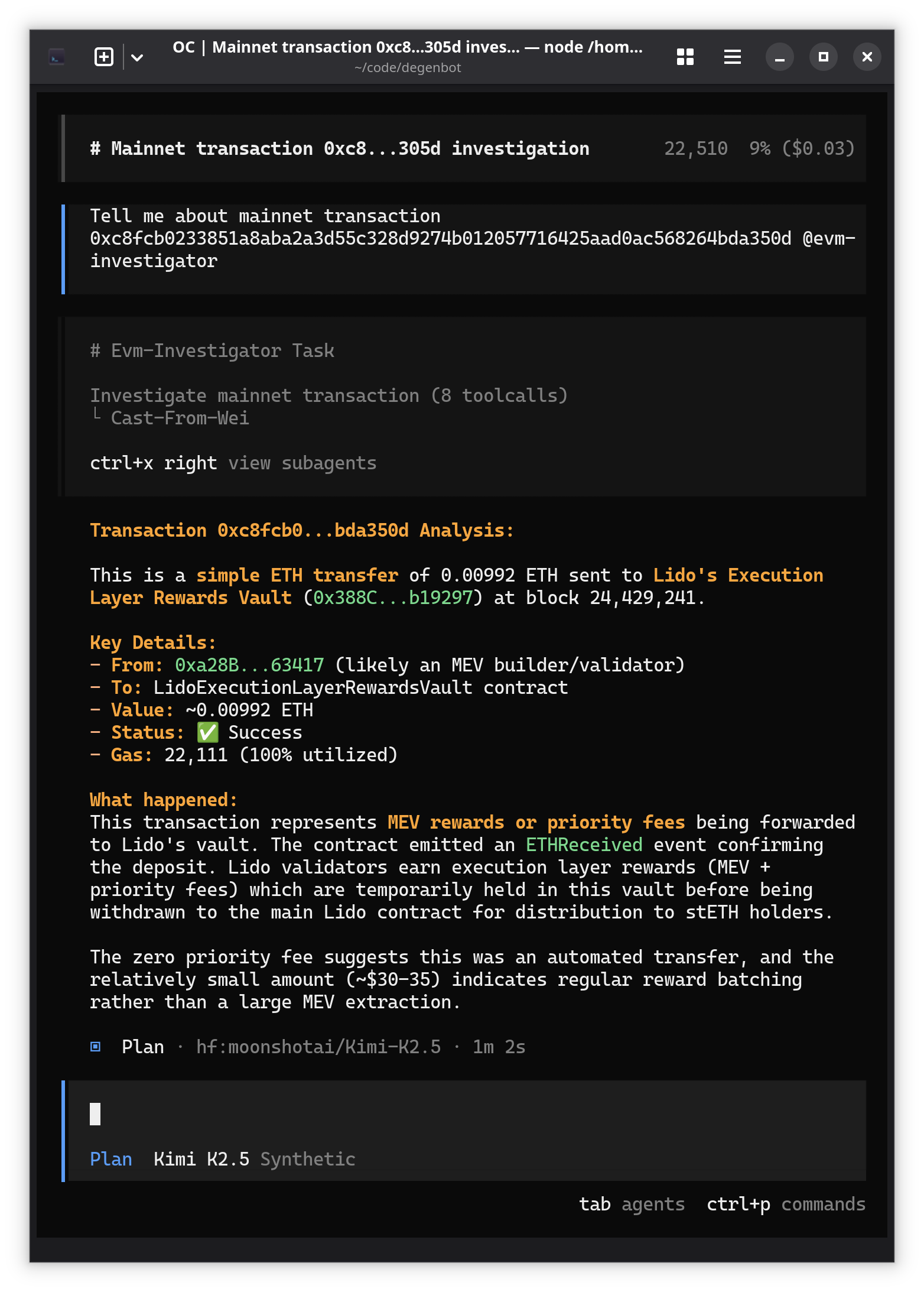
Pretty cool!
Automating Debugging
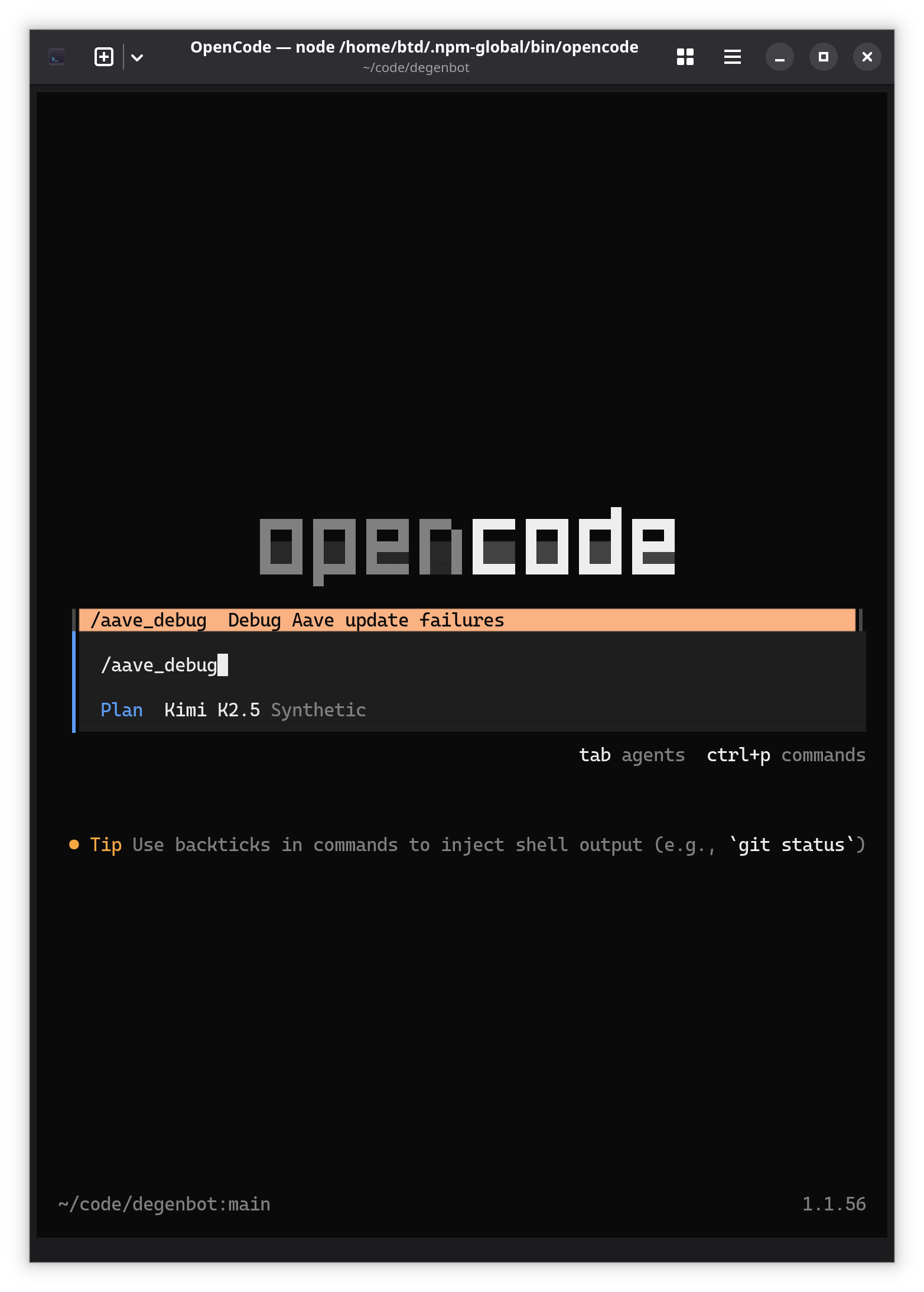
It’s also simple to write a command that glues the output of something run in a terminal to a subagent. This command runs my Aave updater after a failure, instructs the model to delegate investigating the transaction that caused it, then start a hands-off debugging effort that records lessons learned to a log:
aave_debug.md
---
description: Debug Aave update failures
agent: build
model: synthetic/hf:moonshotai/Kimi-K2.5
---

!`uv run degenbot aave update --no-progress-bar --one-chunk`

## DIRECTION: Investigate and debug this failed Aave update command

## PROCESS:
### 1. Gather Information
- Parse the output to identify the transaction hash associated with the event triggering the processing error
- Inspect the transaction using @evm-investigator

### 2. Investigate Code
- Review `aave_update` and determine the execution path leading to the error
- Check for related issues involving this error or a common execution path
- Generate a failure hypothesis

### 3. Validate Execution Path and Failure Hypotheses
- If the execution path is unclear, apply the `log_function_call` decorator to confirm function calls, e.g.,
    ```python
    @log_function_call
    def some_func(...): ...
    ```
- Determine if a debugging env var is useful:
    - `DEGENBOT_VERBOSE_USER=0x123...,0x456...`
    - `DEGENBOT_VERBOSE_TX=0xabc...,0xdef...`
    - `DEGENBOT_VERBOSE_ALL=1`
    - `DEGENBOT_DEBUG=1`
    - `DEGENBOT_DEBUG_FUNCTION_CALLS=1`
- Run with any verbosity flags prepended, e.g., `DEGENBOT_DEBUG=1 uv run degenbot aave update --no-progress-bar --one-chunk`

### 4. Fix & Validate
- If a hypothesis is validated and the root cause is clear, implement a fix and run the update again

### 5. Document Findings
Append to @aave_debug_progress.md. Follow this format:
- **Issue:** Brief title
- **Date:** Current date
- **Symptom:** Error message verbatim
- **Root Cause:** Technical explanation
- **Transaction Details:** Hash, block, type, user, asset
- **Fix:** Code location and changes
- **Key Insight:** Lesson learned for future debugging
- **Refactoring:** Concise summary of proposed improvements to code that processes these transactions
It’s now available in the TUI as slash command:
After running for a minute, it narrowed down and identified the bug:
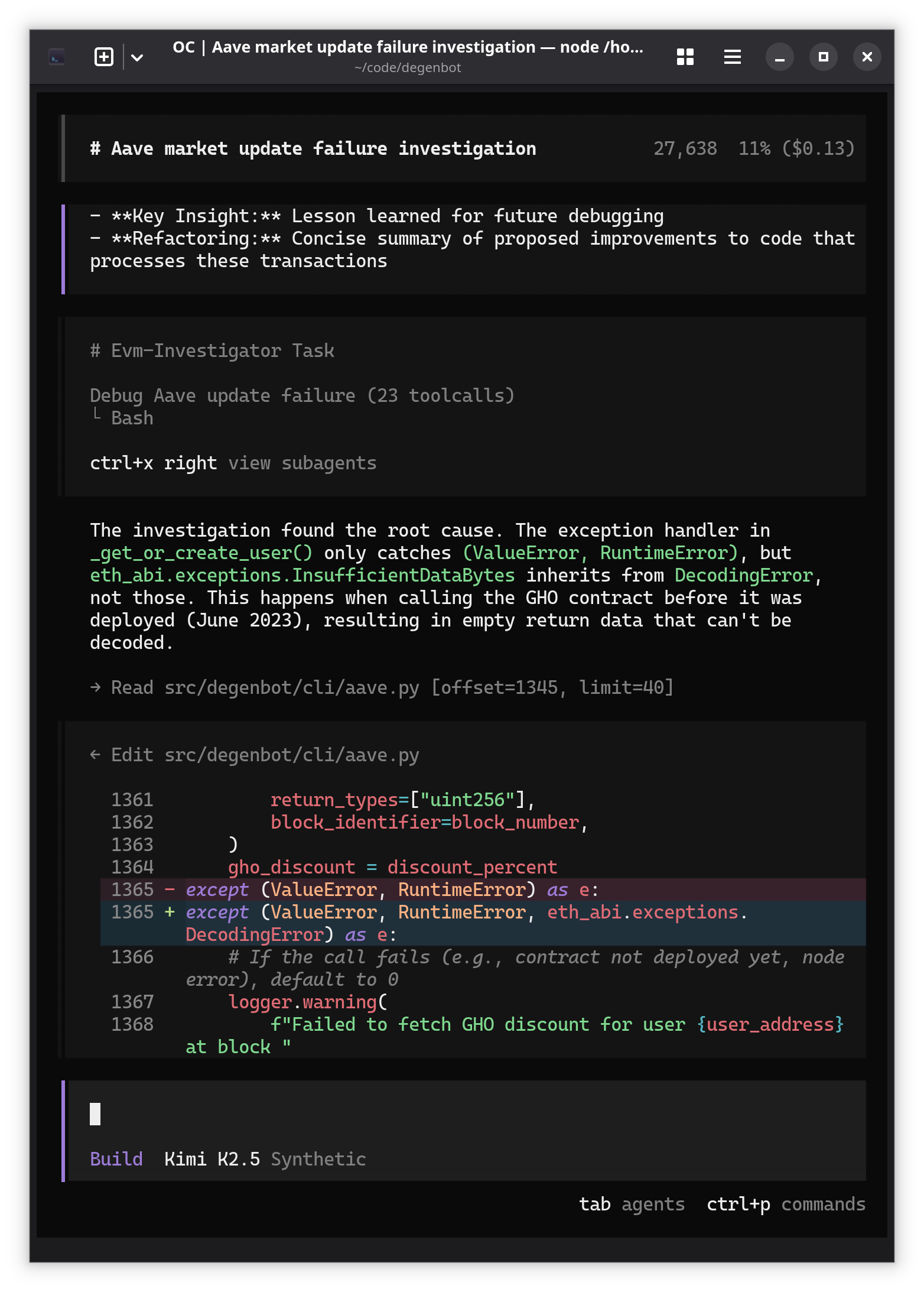
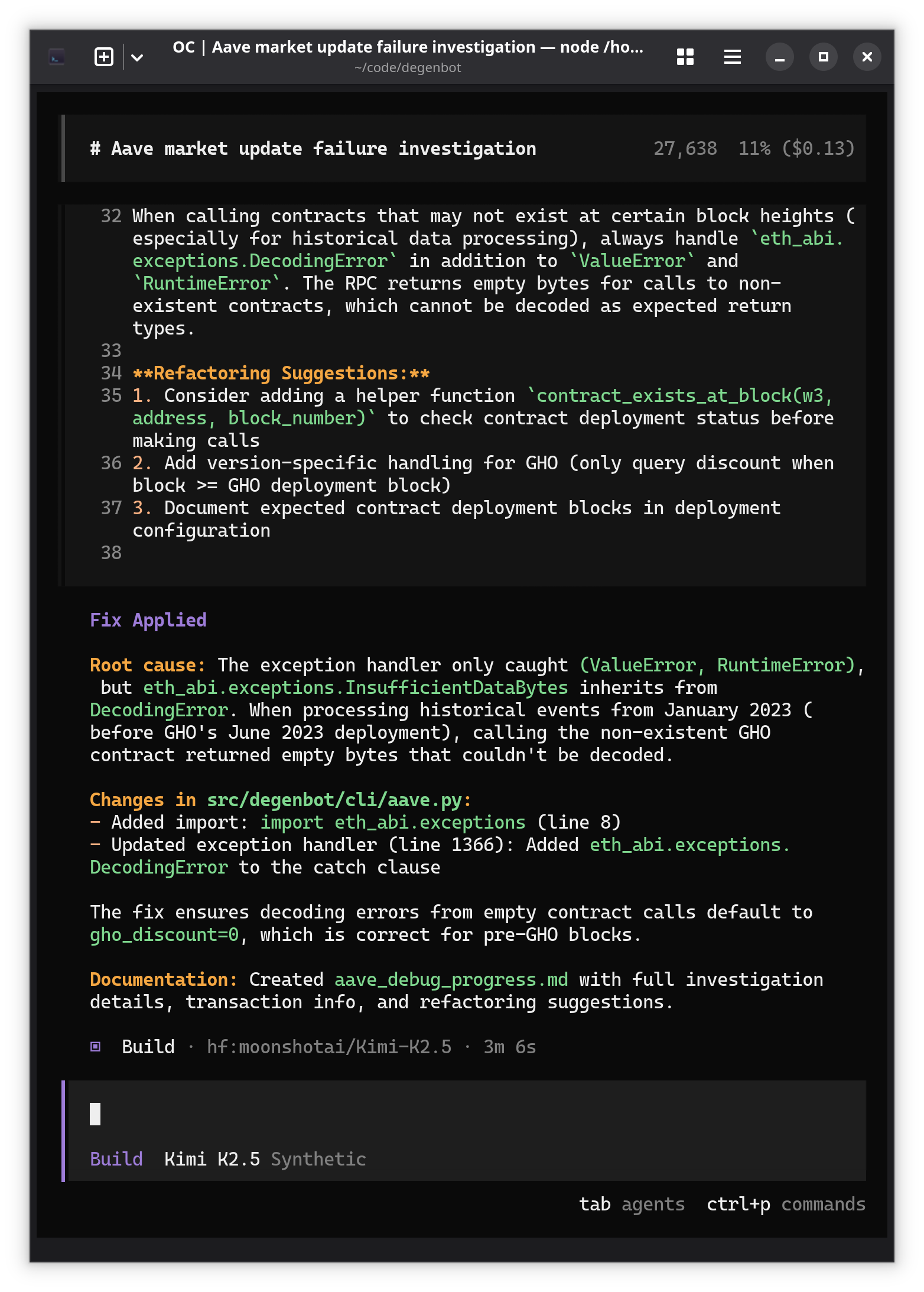
And then gives me a nice little summary of what it did:
Unattended Ralph Loop
Here’s where we max the technique out, setting up an unattended development loop where your agent can develop new features, make fixes, do code review, and run experiments while you sleep.